Important notification alerts for Android

Never miss an important message or forget to follow up.

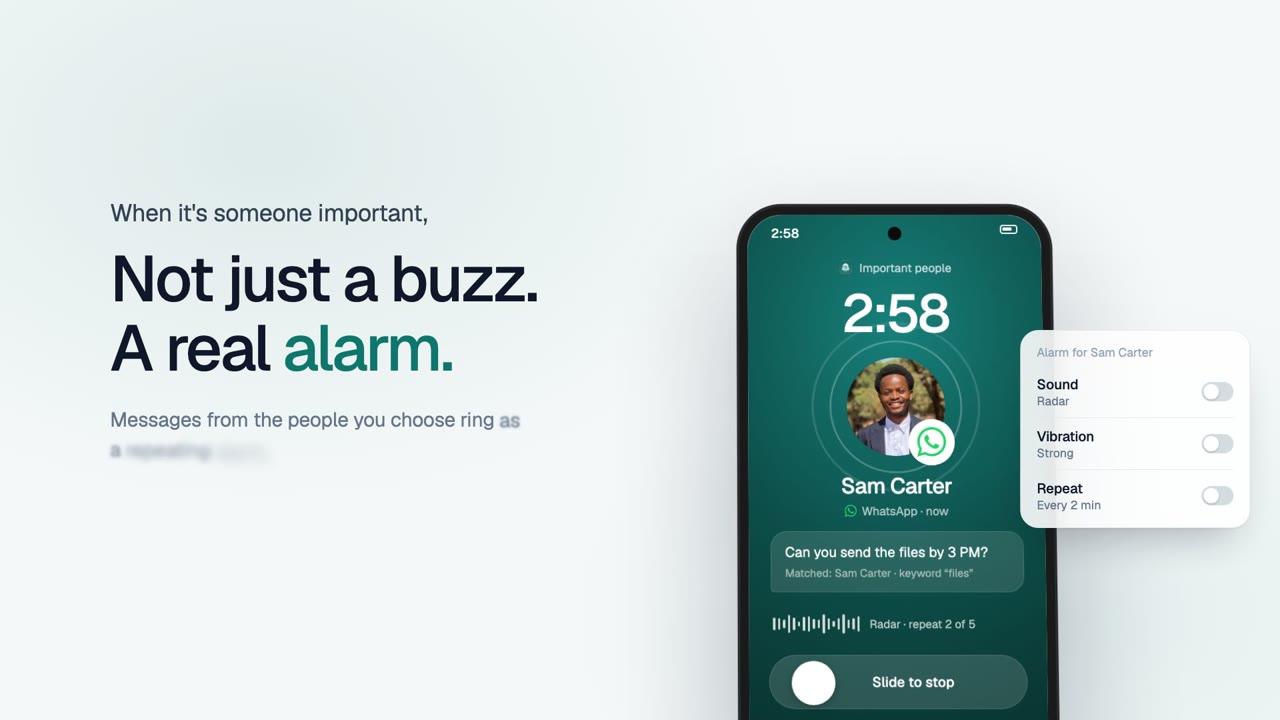
Choose the apps and people that matter. Get a repeating alarm for important notifications, remind yourself to respond later, and find captured messages and available images in your notification history.

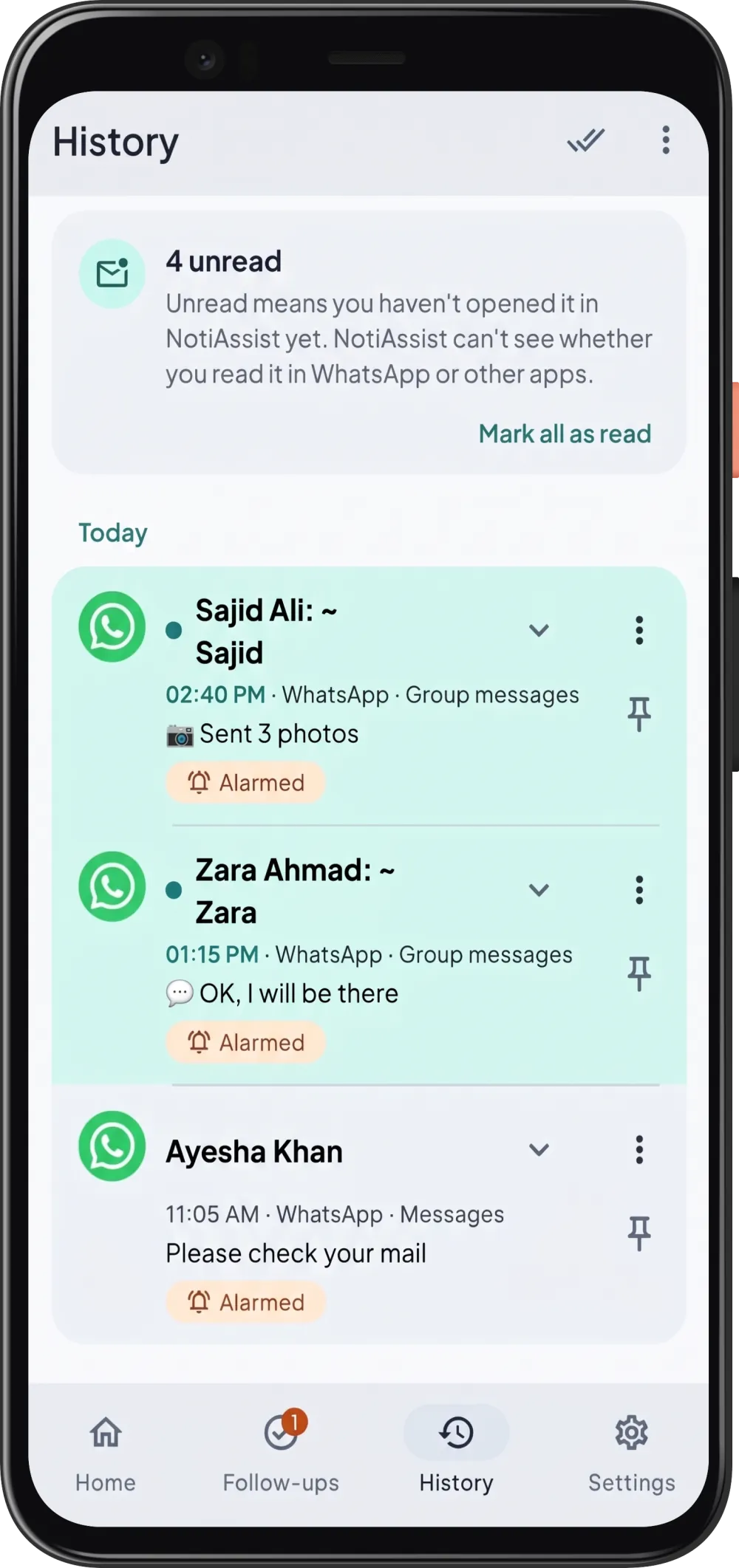
History screen with unread WhatsApp messages marked as alarmed
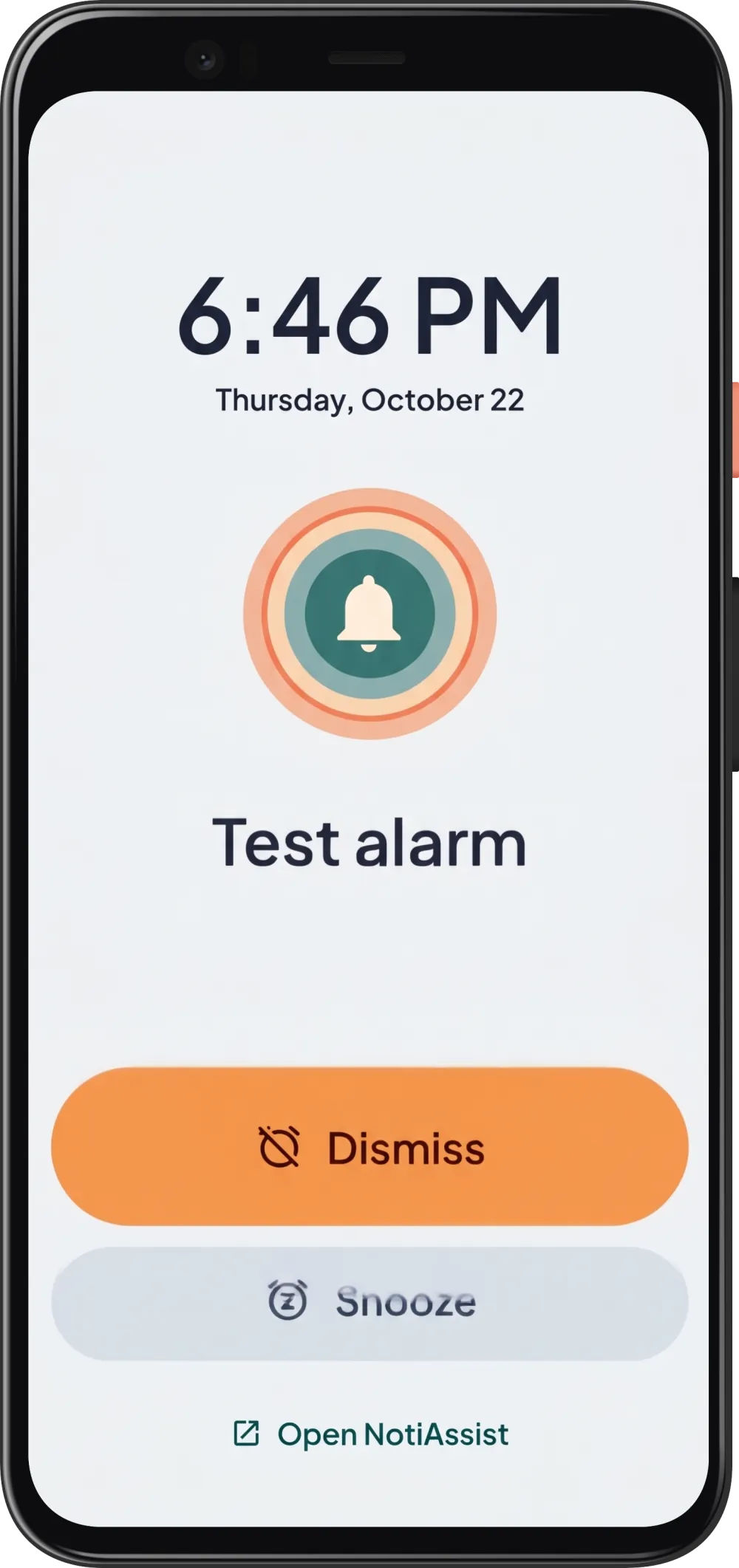
Full-screen test alarm with Dismiss, Snooze and Open NotiAssist buttons

Custom repeating alarms

Sound, vibration and repeats you choose. Behaviour depends on your Android settings, permissions and phone.

Example notifications

  • On-device notification processing
  • No account needed for local features
  • No ads, even on the free plan

Works with your apps

Choose the apps that can reach you

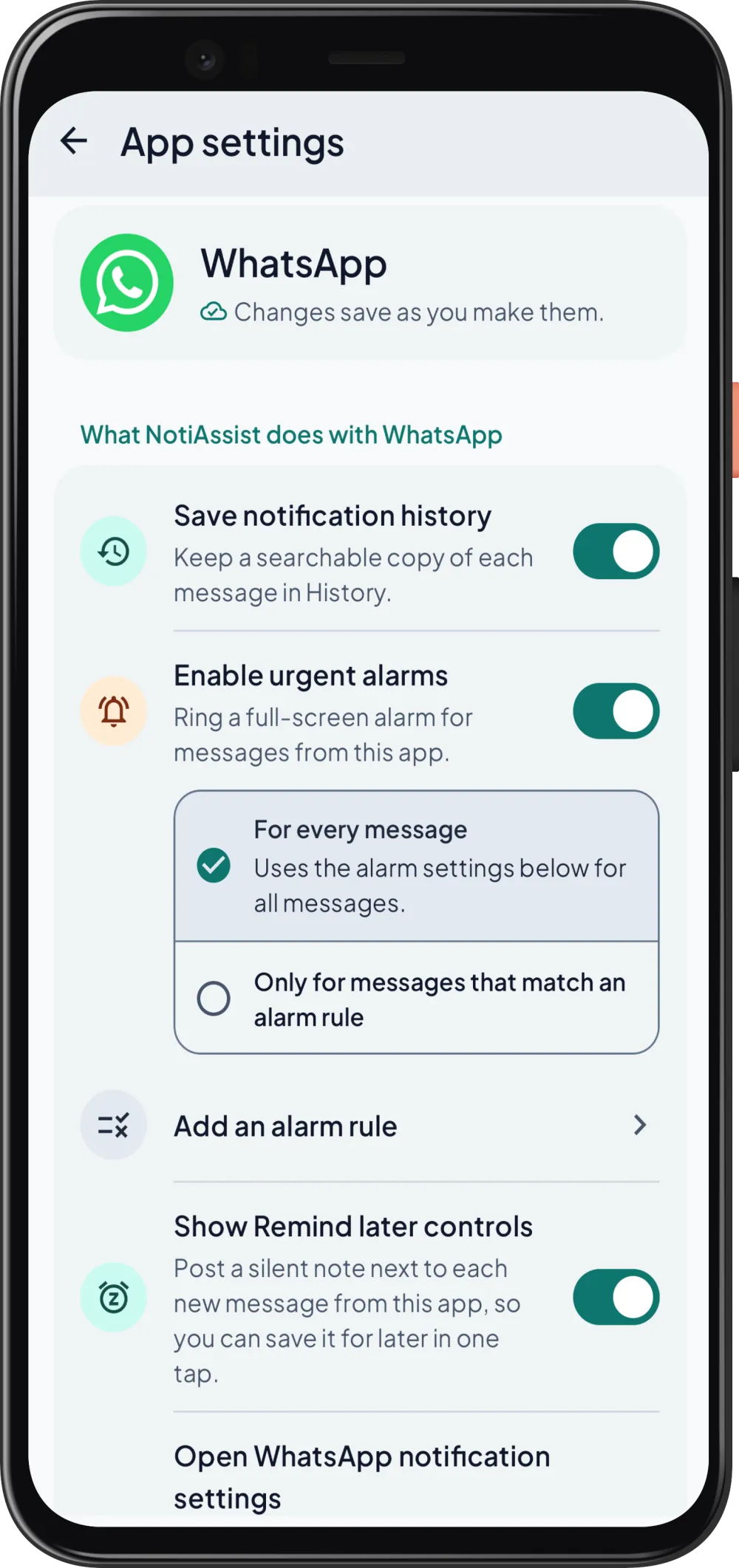
The app picker uses observed notification senders plus a curated list of installed apps, with icons and an individual switch for each.

WhatsApp
Gmail
Telegram
Slack
Microsoft Teams
Messenger
LinkedIn
Fiverr
Upwork
Discord
Signal
Zoom
Google Meet
X
Trello
  • App picker with icons

    Pick from apps that have already posted notifications on your phone.

  • Individual app switches

    Save history, urgent alarms and follow-ups are set separately for each app.

  • Preview before applying

    Setup presets and urgent-word examples show what changes before you apply them.

App names describe use cases. NotiAssist is not officially partnered with or directly integrated into these apps. Source apps must post accessible notifications.

Features

Important people deserve a stronger alert

Choose a saved contact or identifiable sender, such as a client on WhatsApp or WhatsApp Business. Add keyword and time conditions, then preview the rule.

Match only when the notification provides enough sender information; a saved number alone does not guarantee identification.
A repeating sound when a quick buzz is not enough

Choose an alarm sound, vibration and repeat settings. Dismiss, snooze or open the source app.

Sound, lock-screen display and DND behaviour depend on Android settings, granted permissions and the phone.

Remind yourself directly from a notification

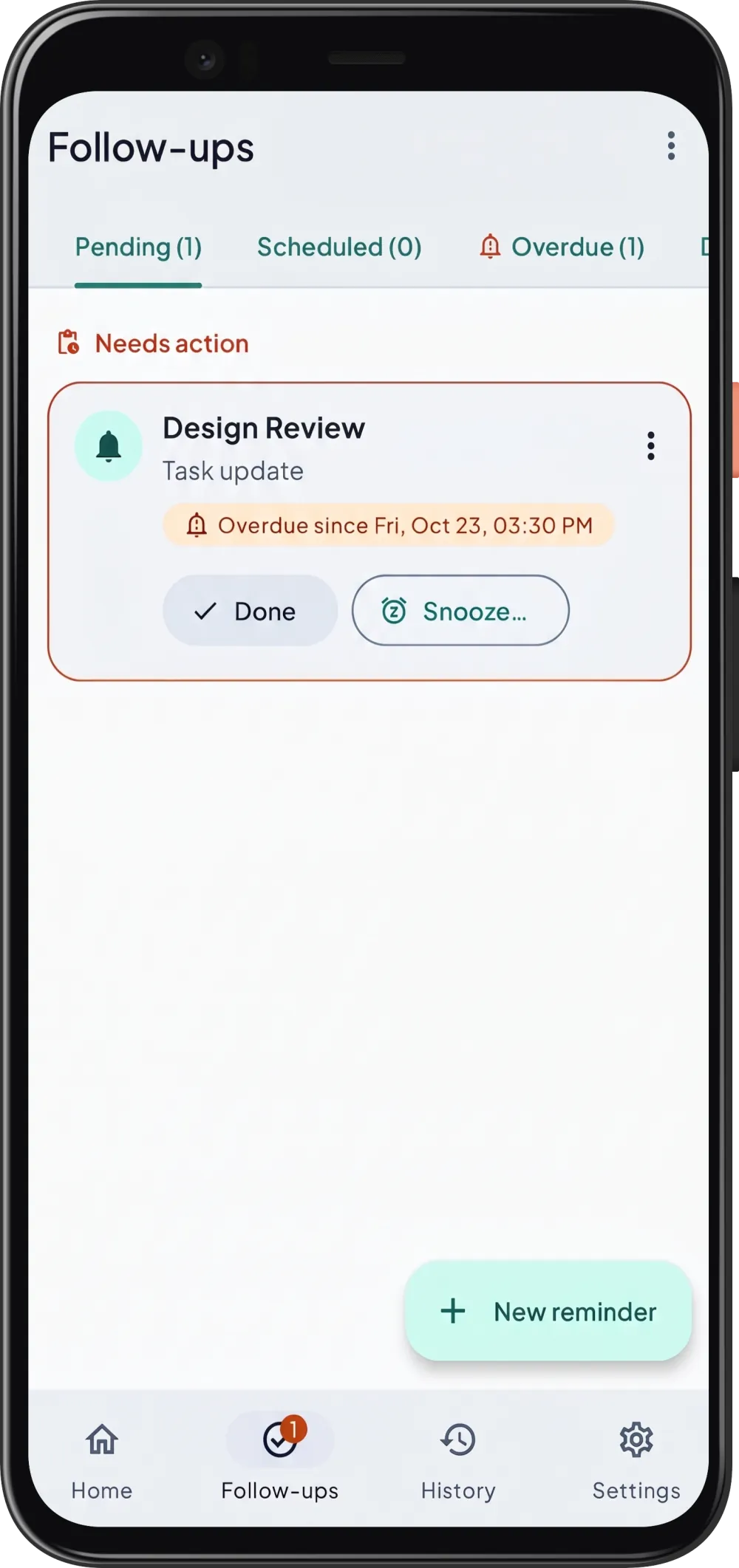
When the NotiAssist follow-up notification appears, tap Remind later. Pick a quick or custom time, choose a gentle reminder or full alarm, and add a note. The captured message is available when the reminder fires, even if the original notification was cleared.

Keep messages and available notification images

Search captured history by words, sender, app or date. View, delete, share or save available image previews.

Images depend on what the source notification exposes and may be lower resolution than the original. Every WhatsApp photo, full-quality download and voice-note recovery is not promised.

See it in 30 seconds

From buried message to a real alarm

Choose who matters, get a repeating alarm when they write, and set a reminder to reply later.

Interface shown is illustrative. Alarm behaviour depends on your Android settings, permissions and phone.

How it works

  1. Choose an app

  2. Set rules or use a preset

  3. Receive an alert, schedule a follow-up or search history

Setup guidance explains notification access, notification permission, full-screen access where applicable, battery settings and the test alarm. Setup does not grant all permissions automatically; you approve each one on your phone.

Read the setup guide

Examples for different users

WhatsApp, Fiverr and other app names describe use cases. NotiAssist is not officially partnered with or directly integrated into these apps. Source apps must post accessible notifications.

Freelancers

Receive a stronger alert for an important gig-platform notification, then schedule a follow-up when busy.

Business users

Prioritise an identifiable customer on WhatsApp Business and keep a message for later action.

Personal users

Prioritise a family member or important reminder while organising everyday notification overload.

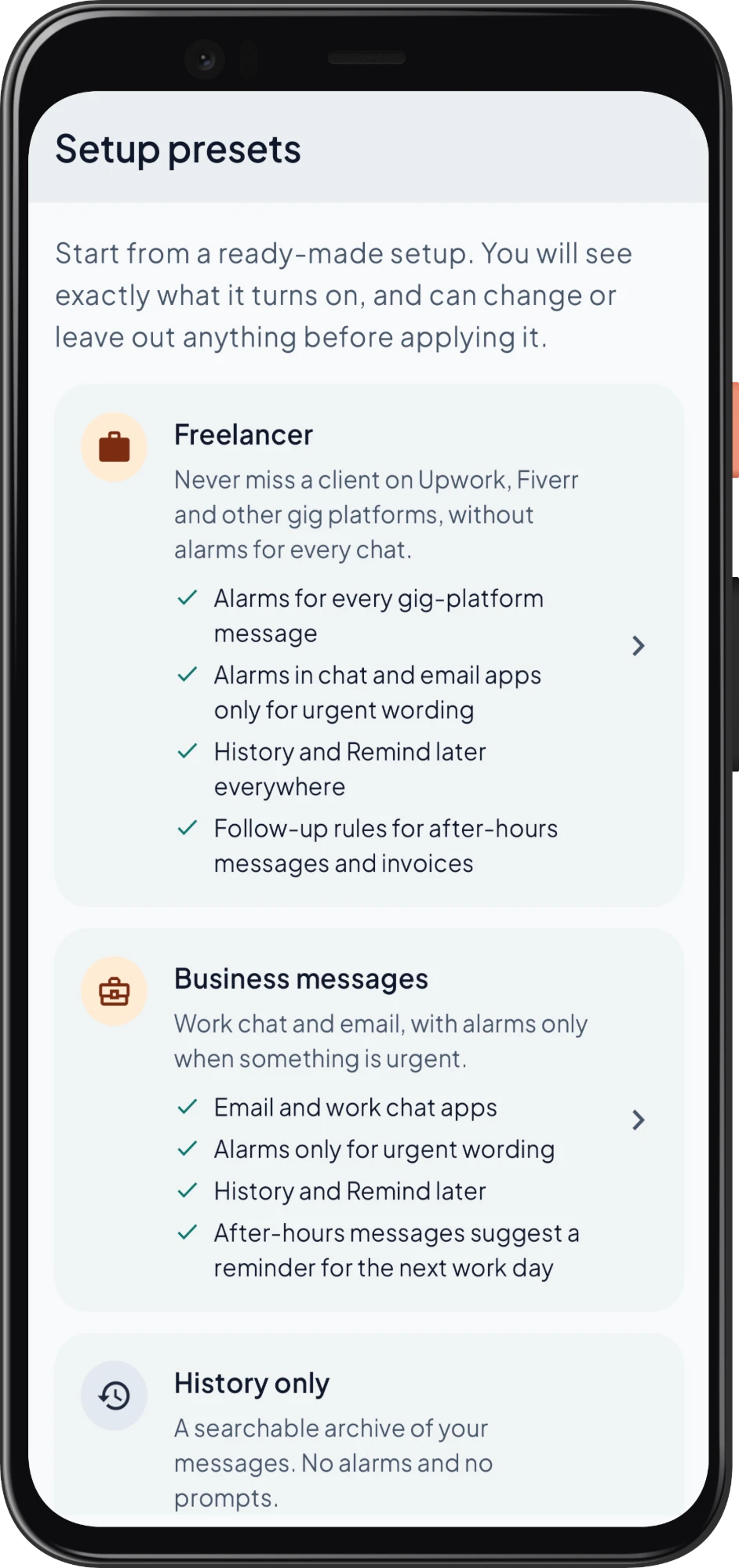
Four setup presets

  • Freelancer

    A starting configuration for gig-platform alerts and follow-up needs.

  • Business messages

    A starting configuration for chat and work notifications with time-based rules.

  • History only

    Save captured notifications without urgent alarms. The preset's 90-day retention requires Pro or an active Pro preview.

  • Manual follow-ups

    Choose the messages you want to revisit.

Presets can be reviewed and adjusted. They add configuration rather than removing existing choices.

Free presets respect the one watched app limit and other Basic limits.

Setup presets screen showing Freelancer, Business messages and History only

Privacy and reliability

Your captured notifications stay on your phone. Search and organise them locally, choose what to store, and protect History and Follow-ups with the available app lock.

Read the privacy information

On your phone.

Captured notifications stay on your phone. Search and organise them locally and choose what to store.

App lock.

Protect History and Follow-ups with the available fingerprint or PIN lock.

Shares you start.

Sharing and local exports only happen when you start them.

Phone maker guidance.

Maker-specific guidance is available for Xiaomi, Oppo, Vivo, Samsung and Tecno phones. Menus and reliability can differ between models.

English plus 59 included translations

The current picker exposes 11 languages; other included translations follow the supported phone language.

  • Afrikaans
  • Arabic
  • Azerbaijani
  • Bulgarian
  • Bengali
  • Catalan
  • Czech
  • Danish
  • German
  • Greek
  • Spanish
  • Spanish US / Latin America
  • Estonian
  • Persian
  • Finnish
  • French
  • Gujarati
  • Hindi
  • The current picker exposes 11 languages; other included translations follow the supported phone language.
  • Captured messages are not translated.
  • Arabic, Urdu, Persian and Hebrew support right-to-left layouts.

Everything included

Every feature, in one place

From the first alarm to long-term history, here is everything NotiAssist does, grouped by what you are trying to get done.

  • Four-step onboarding
  • Test alarm
  • Home master switch
  • Health and status cards
  • Listener health checks
  • App picker with icons
  • Individual app switches
  • Setup presets
  • Urgent-word examples
  • Preview before applying

Pricing

Start free with one app, with no ads on any plan. Try Pro for 7 days, then unlock Pro with a one-time Google Play purchase. No automatic charge and no recurring subscription.

Basic

Free

Get NotiAssist

Pro

One-time unlock

Get NotiAssist
Rules and alarms
Watched appsBasic: 1Pro: Unlimited
Active alarm rulesBasic: 3Pro: Unlimited
Contact and keyword rulesBasic: Within 3 rulesPro: Unlimited rules
Urgent alarm usageBasic: No usage quotaPro: No usage quota
Alarm profilesBasic: 1 editablePro: Multiple
Reminders
Pending remindersBasic: 5Pro: Unlimited
Manual remindersBasic: Within limitPro: Unlimited
Recurring remindersBasic: Not includedPro: Included
History and settings
History retentionBasic: 7 daysPro: 7 / 30 / 90 / 365 days
Pins, labels and advanced organisationBasic: Not includedPro: Included
Settings export, languages, privacy and diagnosticsBasic: IncludedPro: Included
AdsBasic: NonePro: None

US reference price: $3.99 one time. Your local price appears in Google Play.

"Unlimited" means no commercial quota and remains subject to device capacity.

About the 7-day Pro preview

  • The preview starts inside the app when you choose to start it, not on this website.
  • When it ends, you choose one app, three rules and one profile. Anything beyond that stays saved but inactive.
  • Reminders that are already scheduled still fire. Future Pro recurrence is paused with an explanation.
  • Older history is not silently deleted.
  • The app includes Restore purchases. Restoring Pro does not restore local history.

Frequently asked questions

Get NotiAssist

Play testing may require your Google Play account email and eligibility.